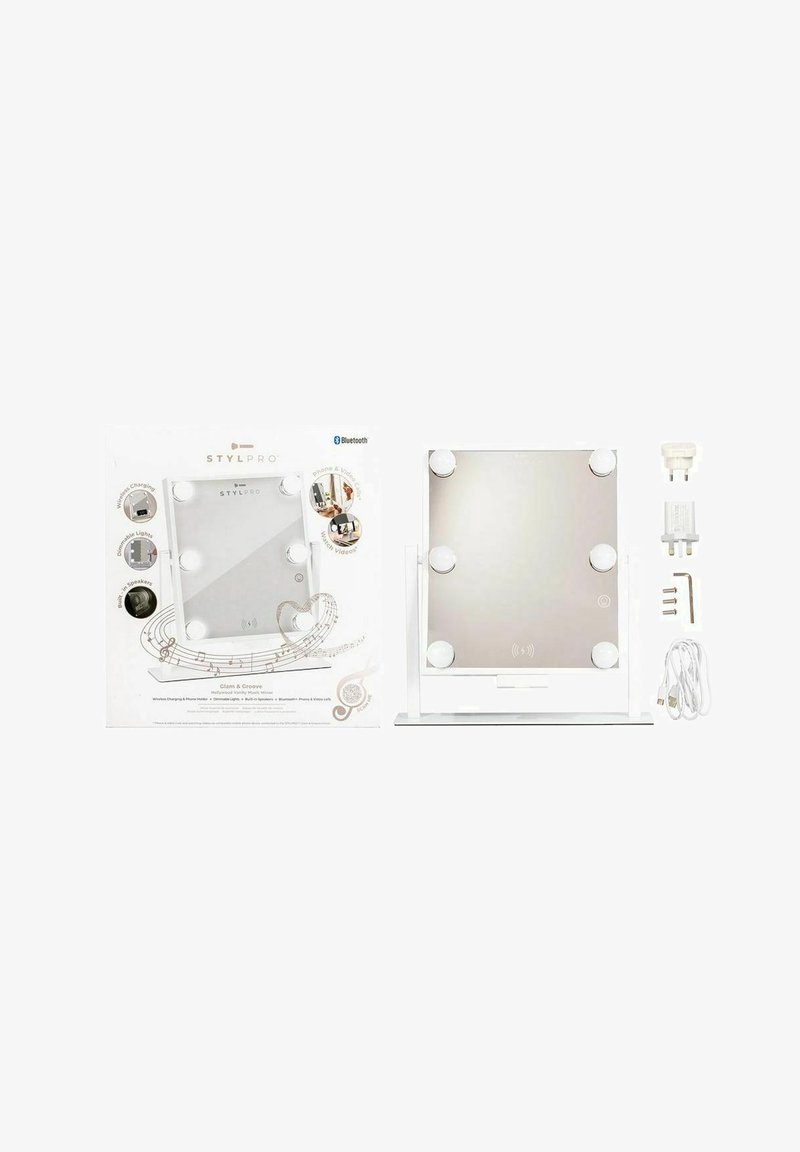
GLAM & GROOVE HOLLYWOOD VANITY MIRROR WITH BLUETOOTH SPEAKERS. - Makeup mirror - white
€79.99VAT included
Delivery
Sold and shipped by
.
Standard delivery
free
Free delivery
Returns
About this product
With luxurious, dimmable Hollywood bulbs providing the perfect lighting to get ready in style. Enhance the experience by simply connecting any Bluetooth device and play music straight from your phone. You can even connect your calls and chat through your mirror as your get ready. Phone running out of charge? Just place your phone on the handy phone holder and charge it completely wirelessly!
Setting up your Glam & Groove Mirror: Set up your Glam & Groove Mirror and plug it into a power outlet. Turning on the lights: Press the power button on the front of the mirror. Keep your finger on the button to dim the lights. Connecting to your device via Bluetooth: Hold down the rear power button at the back of the mirror to turn on Bluetooth – pair in Bluetooth settings on your mobile. Playing music and adjusting volume: Connect via Bluetooth your device. Use the buttons on the control panel on the back of the mirror to adjust the volume, pause/play, skip to the next song, or go back to the previous song. Wireless mobile phone charging: Place your phone on the phone stand to charge automatically.